Proxmox, TrueNAS and PBS on your iPhone
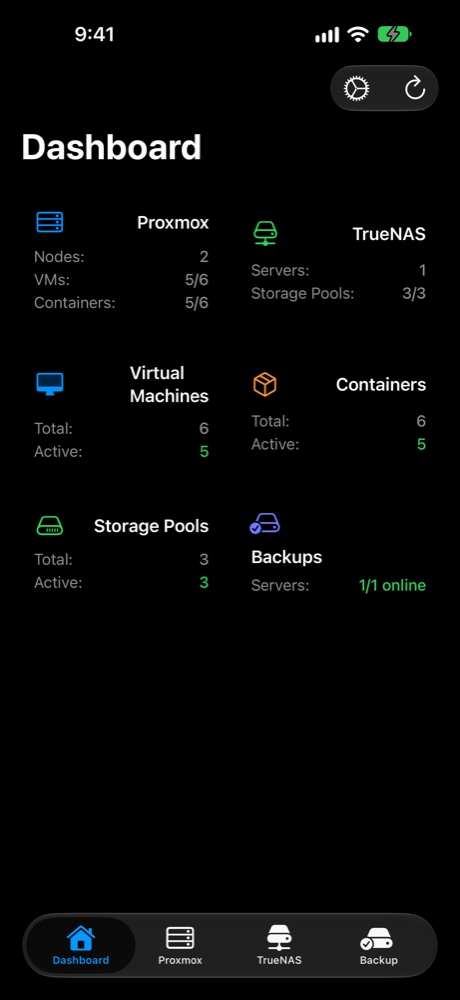
HomeLab Go is a native iPhone and iPad app for checking on your homelab and restarting things when they misbehave. One app instead of three browser tabs.
Download on the App Store $4.99 once. No subscription, ads or account.Screenshots
What it manages
Proxmox VE
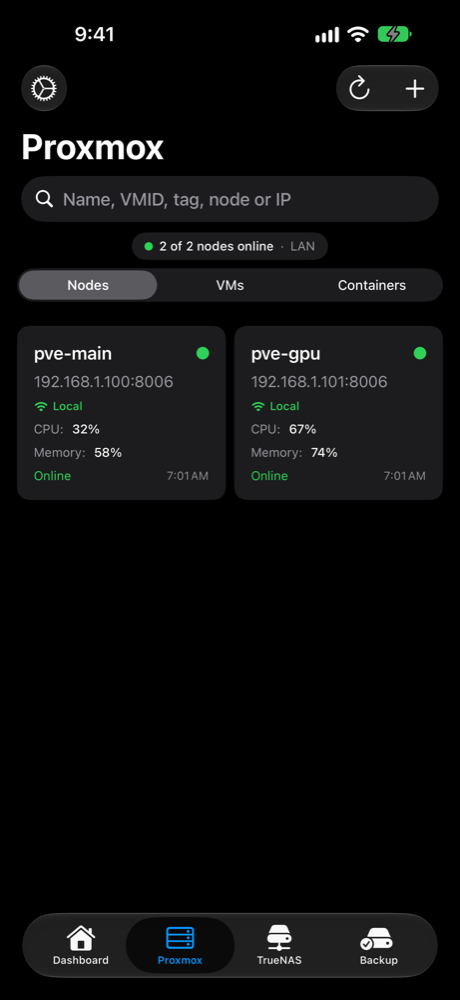
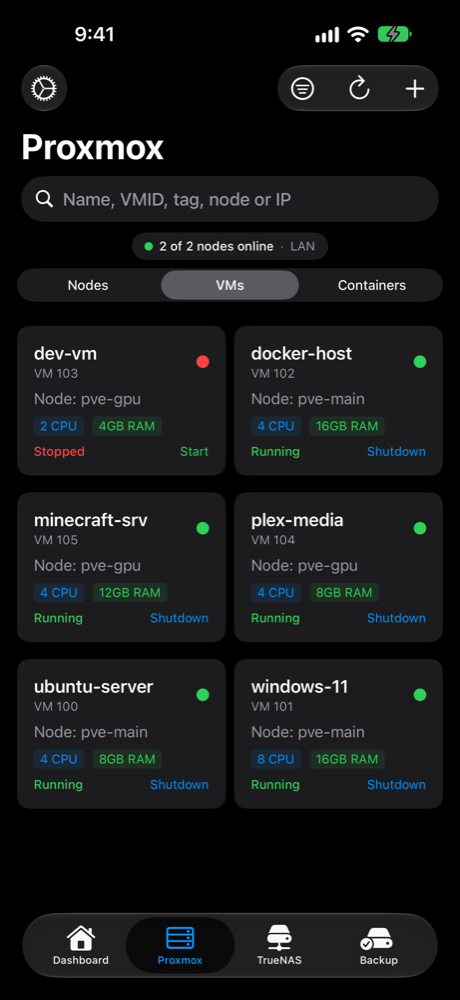
Nodes, clusters, VMs and LXC containers. Start, stop and reboot guests, create VMs, edit, clone or template them, manage snapshots and backups, read task logs, browse storage and open a VNC console. Hibernate a VM, see your backup jobs and run one now. Sign in with a password (two-factor supported) or an API token.
TrueNAS
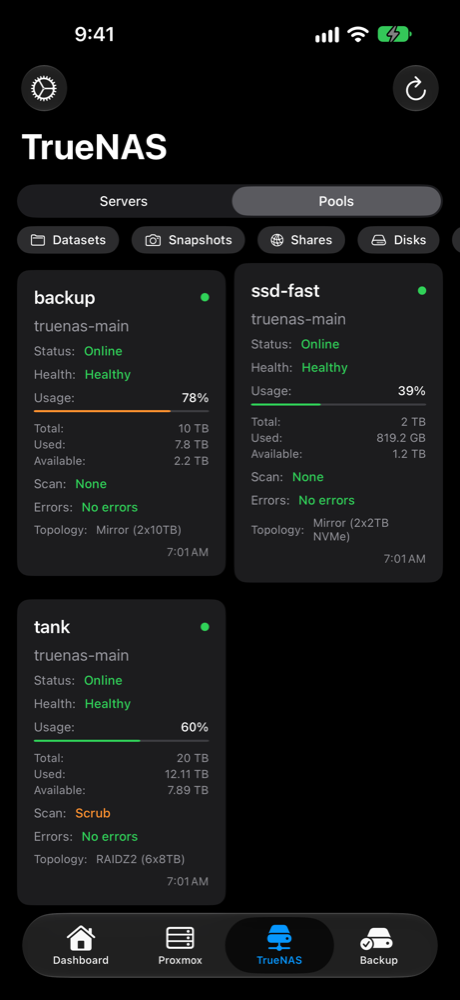
Pool health and capacity, datasets, snapshots, SMART disk status, replication tasks, scrubs, shares, apps, alerts and system info. See which apps have updates waiting and upgrade them from your phone.
Proxmox Backup Server
Datastore usage, verified backups, snapshots grouped by type, and recent tasks with logs. Run garbage collection, prune old backups and protect the ones you can't lose. Sign in with a password or an API token, and get alerted when a task fails.
Features
Home Screen widgets
Choose the exact guest, node or pool each widget shows. Start or stop a VM from the widget.
Control Center and Action button
Start, stop or reboot a guest without opening the app. Yes, the Action button can restart a VM.
Notifications and webhooks
Background alerts when a node or server goes offline (and when it's back), a pool degrades, TrueNAS raises an alert or a PBS backup task fails, plus an optional webhook and a weekly update reminder.
Live Activities
Follow a backup, migration or scrub from the Lock Screen and Dynamic Island instead of refreshing a progress bar.
Quiet hours
Pick the hours notifications stay silent. Your homelab can wait until morning. Probably.
Search, favorites and tags
Find any guest fast, pin the ones you use most, and filter by Proxmox tags. Also searchable from Spotlight.
Guest IPs and node controls
See guest IP addresses from the QEMU guest agent, review pending updates, and reboot or shut down a node.
Tailscale
Add a Tailscale address to a Proxmox, TrueNAS or PBS server. The app tries your local address first.
Self-signed certificates
Trust on first use, like SSH. Certificates are pinned, and you can review or remove them in Settings.
Private by default
Face ID or Touch ID lock. Credentials live in the iOS Keychain. No account and no analytics server in between.
Backup and iCloud sync
Export your server list to a file or sync it between devices. Secrets sync through iCloud Keychain.
Deep links and Shortcuts
Open a node, guest or pool from a link, widget, notification or Shortcut.
Native on iPad
Built with SwiftUI, with a sidebar layout on iPad. Not a web wrapper.
Compatibility
- iPhone and iPad iOS or iPadOS 18.4 or later
- Proxmox VE 8 and 9, username and password, or API token
- TrueNAS 25.04 or later, API key
- Proxmox Backup Server username and password, or API token
We checked, so you find out before paying $4.99 and not after.
FAQ
Does it work with self-signed certificates?
Yes. You approve a certificate once and it is pinned. If it changes, you are asked again. There is no "trust everything" switch.
How do I connect when I'm away from home?
Add a Tailscale address to a Proxmox, TrueNAS or Proxmox Backup Server server. The app tries the local address first and falls back to Tailscale.
Which Proxmox and TrueNAS versions are supported?
Proxmox VE 8 and 9, TrueNAS 25.04 or later, and Proxmox Backup Server. The app needs iOS or iPadOS 18.4 or later.
Where are my passwords stored?
In the iOS Keychain on your device, never in plain text. Nothing is sent to Okay Apps. If you turn on iCloud sync, secrets travel through iCloud Keychain.
Can I sign in to Proxmox with an API token?
Yes. Proxmox VE and Proxmox Backup Server both accept a username and password or an API token. A token limited to the privileges you need is the tidier option.
Can it alert me when I'm not in the app?
Yes. Background alerts cover offline nodes and servers (and their return), degraded pools, TrueNAS alerts and failed PBS tasks. Quiet hours keep them from waking you up.
Is there a subscription?
No. It's a one-time $4.99 purchase with no in-app purchases, ads or account.
Why it exists
I had one app for Proxmox, a browser tab for TrueNAS and another for PBS. I wanted one app that told me what was running and let me restart something if it wasn't. So I built it.